Custom Football Alerts: Statistical Notifications That Actually Matter
Forget being notified when a goal goes in - you already know that. Imagine being notified two hours before kickoff that your Fantasy captain isn't in the starting XI, or that your team's xG has collapsed over the last three games. That's what statistical alerts actually look like.
The Problem: Checking Ten Apps Every Day
If you seriously follow football - whether as a Fantasy manager, an analyst, a scout, a journalist, or simply a devoted fan - you know the routine. Every morning: check the injury news. Check the expected lineup. Check whether that midfielder you track has recovered. Check the form table. Check the market value. Open five different apps, scroll through social media, hope nothing important slipped past you.
This is how serious football followers currently operate: manually, scattered across dozens of sources, permanently afraid of missing something relevant. It's exhausting. And it's completely unnecessary.
The technology to monitor statistical conditions automatically has existed for years in professional sports analysis. Fund managers have had alert systems for financial thresholds for decades. Weather services have pushed critical notifications for as long as smartphones have existed. Yet football fans - even the most data-literate among them - are still checking things manually.
Custom statistical alerts change this. Not by telling you the obvious ("Goal! Penalty! Red card!") - you already have ten apps for that. But by monitoring exactly the conditions that actually matter to you, across all the teams and players you track, continuously, and delivering a notification only when something genuinely relevant happens.
The difference sounds subtle. In practice, it's transformative.
MatchAnalyzr Alert Plans
Free users can configure 2 active alerts with in-app and push delivery. Pro users get 10 alerts including email delivery. Premium users can configure 20 alerts across all channels. All plans include smart rate limiting - a maximum of 20 notifications per hour - to ensure alerts stay relevant and never become noise.
What Makes Statistical Alerts Different from Goal Notifications
Standard push notifications in football apps are essentially real-time event broadcasting. A goal is scored: you get a notification. A card is shown: notification. The match kicks off: notification. These are binary events - they either happened or they didn't.
Statistical alerts operate on an entirely different level. They monitor continuous metrics against configurable thresholds, track trends across multiple matches, and fire only when a defined condition is genuinely met. They require an alert engine - software that continuously evaluates rules against a stream of incoming data - not just an event broadcast system.
Rule-Based Conditions vs. Event Broadcasting
The fundamental distinction is this: event broadcasting reports what happened. Statistical alerts report when something meaningful occurs relative to a standard you defined.
"Notify me when Team X scores" is event broadcasting. "Notify me when Team X has accumulated less than 1.0 xG after 60 minutes in each of their last three home matches" is a statistical alert. The first is trivial to implement. The second requires continuous monitoring of a multi-match trend against a statistical threshold - a fundamentally different technical challenge.
This matters because the second type of alert is vastly more valuable. A team scoring a goal tells you almost nothing analytically. A team's xG systematically collapsing over three consecutive home games tells you a great deal - about tactical problems, squad issues, pressing vulnerability, or simply a difficult run of opponents. Knowing about it proactively, rather than piecing it together from retrospective reading, is a genuine informational advantage.
The Signal-to-Noise Problem
Anyone who has used a basic football alert app knows the other side of this problem: notification fatigue. If you follow five teams seriously, you can easily receive forty to sixty notifications on a busy matchday, most of which carry negligible informational value. After a week, you start ignoring them. After a month, you disable them entirely.
The design principle behind statistical alerts is the opposite of volume: fewer, more relevant notifications. An alert that fires because a specific, meaningful condition has been met - one that you defined - carries genuine signal. You receive it, you act on it, and you trust the system because it has never cried wolf.
Smart alert management includes rate limiting: a well-designed system should never send more than twenty notifications per hour per user across all active alerts, ensuring that even users with many active rules don't experience notification overload.
The Five Core Alert Categories
Statistical alerts for football can be organized into five distinct categories, each addressing a different type of intelligence need. Understanding which category applies to your use case is the starting point for configuring alerts that genuinely help you.
xG and Performance Threshold Alerts
Expected Goals alerts are arguably the most analytically powerful category. Rather than waiting until the end of the season to notice a team's performance has declined, xG threshold alerts flag the problem while there is still time to act on it.
Examples of xG and performance alerts:
- "Notify me when [Team]'s rolling 3-match xG average drops below 1.0"
- "Notify me when [Team]'s xG conceded per game exceeds 1.8 over their last five matches"
- "Notify me when [Player]'s shot quality (average xG per shot) drops below 0.08 over the last three games"
- "Notify me when the xG differential for [Team]'s home matches turns negative"
For Fantasy managers, a striker's shot quality is more predictive of upcoming goals than their actual goal tally. For analysts, a team's defensive xG conceded is an early warning system for a leaky backline that hasn't started conceding in bulk yet - but will. These alerts surface that intelligence automatically.
See also: for a deep dive into xG methodology.
Form and Trend Alerts
Form alerts monitor trends across multiple matches rather than single-game events. They're particularly useful for detecting momentum shifts before they become obvious.
Examples of form alerts:
- "Notify me when [Team] goes three matches without a win"
- "Notify me when [Player] has scored in three consecutive matches" (hot streak tracking)
- "Notify me when [Team]'s points-per-game over the last six matches drops below 1.0"
- "Notify me when [Player]'s minutes played per match drops by more than 20% compared to the previous month" (potential squad role change)
Form alerts are especially powerful for Fantasy managers. Knowing that a midfielder's average minutes per match has dropped from 85 to 62 over the last four games - before the official press conference where the manager is asked about rotation - is exactly the kind of early signal that separates good Fantasy managers from great ones.
See also: for the methodology behind form analysis.
Lineup and Team Selection Alerts
For Fantasy Football managers, lineup alerts may be the single most practically valuable category. Being notified that a key player is not in the starting XI - ideally with enough lead time to make a captain transfer - can be the difference between a good week and a terrible one.
Examples of lineup alerts:
- "Notify me when [Player] is not in the starting XI for [Team]'s next match"
- "Notify me when [Team]'s expected lineup changes by more than three positions compared to last week"
- "Notify me when [Team] switches from a 4-3-3 to a 4-2-3-1" (for analysts tracking tactical shifts)
- "Notify me when the same core lineup has started three matches in a row" (rotation risk increasing)
Lineup alerts are most valuable when they arrive with sufficient lead time. The ideal scenario: you receive an alert two hours before kickoff that your Fantasy captain isn't in the expected lineup, giving you time to make a captain transfer before the deadline. That requires an alert engine that processes expected lineup data - typically released 90 to 120 minutes before kickoff - the moment it becomes available.
Injury and Availability Alerts
Injury status monitoring is one of the most time-intensive tasks for any serious football follower. Medical bulletins, training ground reports, and pre-match press conferences all carry relevant signals - but tracking them across fifteen or twenty players manually is unrealistic.
Examples of injury and availability alerts:
- "Notify me when [Player]'s injury status changes to 'doubtful' or 'out'"
- "Notify me when [Player] returns from injury and is listed as available"
- "Notify me when [Team] has more than three players listed as unavailable for the next match"
- "Notify me when [Player]'s status changes from 'out' to 'training'"
Injury alerts work at the data provider level: when a player's status code changes in the API response - from available to doubtful, or from out to training - the alert engine detects the change and fires the notification. The speed advantage is real: automated monitoring picks up status changes the moment they appear in the data, rather than waiting for someone to notice them manually.
Market Value Alerts
Market value tracking is particularly relevant for scouts, Fantasy managers with transfer-list strategies, and football business journalists. Player valuations from providers like Transfermarkt are updated regularly - but most followers only notice changes when they're reported in the media, often days after the data has changed.
Examples of market value alerts:
- "Notify me when [Player]'s estimated market value drops by more than 10% in a single update"
- "Notify me when [Player]'s market value reaches €50M+"
- "Notify me when any player in [Team]'s squad has their value increased by more than €5M"
For scouts monitoring developing players, an automatic alert when a target's valuation crosses a threshold is genuinely valuable operational intelligence. For journalists, knowing that a high-profile player's valuation has dropped significantly - before it becomes a transfer story - is useful context.
The Lineup Alert Advantage
Expected lineups are typically released 90 to 120 minutes before kickoff. MatchAnalyzr's alert engine checks for lineup updates every five minutes during this window and fires push notifications immediately when a player you track is not in the expected starting XI - giving you maximum lead time before Fantasy transfer deadlines.
How the Alert Engine Works Technically
Understanding the mechanics behind alert systems helps to set realistic expectations - and to configure alerts that will actually fire when you want them to.
At a technical level, a statistical alert engine operates as a continuous rule evaluation system. Rules are stored in the database with their conditions, thresholds, and associated users. A cron job - in MatchAnalyzr's case, running every minute - fetches the latest data, evaluates every active rule against that data, and identifies which rules have crossed their defined threshold.
Rule Evaluation and State Management
Effective alert engines maintain state: they know whether a rule was previously satisfied or not. This prevents the same condition from triggering repeated notifications.
For example, if you configure an alert that fires when a team's rolling xG average drops below 1.0, the engine should fire the notification once when the condition is first met, and then remain silent until the condition resets (the xG average climbs back above the threshold) and falls again. Without this state management, you would receive the same alert every minute for the duration of the condition - which is precisely the notification fatigue problem that good alert systems are designed to prevent.
Data Freshness and Alert Latency
Alert latency - the time between a real-world event and the notification reaching you - depends on how frequently the underlying data is updated.
Live match statistics (xG, shots, possession) are updated every minute during a match. This means in-game threshold alerts can fire within one to two minutes of a condition being met - near real-time by any practical standard.
Pre-match data (expected lineups, injury updates) is typically refreshed every five minutes in the 24 hours before kickoff, and more frequently in the final two hours. Market value data is updated weekly or monthly, depending on the data provider.
This cadence shapes what kinds of alerts are realistically fast: for time-sensitive decisions like Fantasy captain changes, you want an alert system with short polling intervals and immediate notification delivery.
Delivery Channels: In-App, Push, and Email
Statistical alerts can be delivered through three distinct channels, each suited to different urgency levels and use cases.
**In-App Notifications:** Always available, regardless of plan. When you open the app, you see a feed of recent alert triggers with full context - which rule fired, what the current value is, and a direct link to the relevant team or player page. In-app notifications are ideal for lower-urgency alerts where you don't need to act immediately.
**Web Push Notifications:** The most time-sensitive channel. Push notifications arrive on your device even when the app isn't open - via the Web Push API with VAPID keys, the same technology used by news apps and email clients. For lineup alerts and pre-match notifications where you need to act before a deadline, push is the critical channel. Available from the Pro plan.
**Email:** Appropriate for summary-style alerts and lower-frequency notifications (market value changes, weekly form summaries). Email has the highest inherent latency but the best for detailed context delivery. Available from the Pro plan.
See also: for how live data powers real-time alerts.
Use Cases: Who Benefits Most from Statistical Alerts
The practical value of statistical alerts varies significantly by use case. Here are the four profiles that benefit most - and the specific alert configurations that serve each.
Fantasy Football Managers
Fantasy managers operate under strict time constraints: transfer deadlines, captain pick windows, and wildcard timing all require timely information. Missing a lineup change can cost you twenty points in a single gameweek.
The highest-value alerts for Fantasy managers:
- Lineup alerts for all players in your squad, set to fire at least two hours before kickoff
- Injury status changes for your key players and transfer targets
- Form alerts for players whose underlying xG has diverged significantly from their actual goal output (regression candidates)
- Captain performance alerts: notify when your preferred captain has scored in three consecutive games (hot streak continuation) or hasn't scored in three games (consider switching)
A Fantasy manager with well-configured alerts effectively has an automated monitoring service running across their entire squad - freeing up the time spent manually checking injury news for the higher-value decisions: analysis and strategy.
Dedicated Club Fans
Supporters who follow a specific club deeply benefit from alerts that surface early warning signals - the kind of intelligence that typically only appears in detailed post-match analysis but is far more useful when it arrives before a run of bad results becomes entrenched.
High-value alerts for club fans:
- xG threshold alerts for your team's home and away performances separately
- Defensive xG alerts - know when your backline is being exposed statistically before it shows in the table
- Lineup alerts to track rotation patterns and emerging tactical preferences
- Form trend alerts to identify momentum shifts as they happen, not after they've already cost points
Analysts and Journalists
For professional analysts and journalists, statistical alerts function as an automated monitoring brief. Rather than continuously scanning across dozens of teams and players, alerts surface the stories worth investigating.
High-value alerts for analysts and journalists:
- Market value movement alerts for high-profile players - early intelligence on potential transfer stories
- Tactical formation change alerts - when a team consistently shifts system, there's usually a story behind it
- Performance divergence alerts: players whose xG has been high but whose goal count remains low are on a regression collision course - good timing intelligence for a feature piece
- League-wide xG differential alerts: which teams in a division are currently significantly over- or under-performing their expected points total?
Configure Your First Alert
The fastest way to start: configure a lineup alert for the players in your Fantasy squad. Select the player, choose 'Not in Starting XI', set delivery to Push Notification, and activate. You'll receive an alert the moment expected lineup data shows your player is out - automatically, every matchweek, with no manual checking required.
The biggest failure mode of any alert system is over-configuration. If you create twenty alerts with broad thresholds, you'll quickly receive so many notifications that you stop reading them. The goal is precision, not volume.
Practical principles for effective alert configuration:
**Start with one question.** Before creating an alert, ask yourself: what specific piece of information would change my behavior? If you can't answer that clearly, you probably don't need the alert. If you can - "Knowing my Fantasy striker isn't starting would make me change my captain" - you have a valid alert.
**Set thresholds that are meaningful, not marginal.** An alert that fires every other week because the threshold is barely above the average is adding noise, not signal. Set thresholds at genuinely significant deviation levels.
**Separate urgency levels by delivery channel.** Time-sensitive alerts (lineups, injury status) should go via push notification. Lower-urgency alerts (market value, weekly form trends) can go via email or in-app only. Don't make push notifications carry the whole load - reserve them for what genuinely requires immediate attention.
**Review your alerts monthly.** After a month of use, look at which alerts have fired and whether you acted on them. Alerts that fired repeatedly without prompting action are probably misconfigured - either the threshold is too low or the condition isn't actually relevant to you.
**Audit for duplication.** If you have five alerts that all roughly track the same condition from different angles, consider whether one well-configured alert would serve you better.
The Future of Intelligent Alerts: AI-Powered Anomaly Detection
The current generation of statistical alerts requires you to define the conditions you want monitored. This is already a significant step forward from manual checking - but the next evolution is already visible on the horizon.
AI-powered anomaly detection flips the model: instead of asking you to define what to look for, the system learns what is statistically normal for each team and player, and automatically surfaces deviations that are genuinely unusual relative to their historical baseline.
This matters because many of the most interesting statistical signals are ones you wouldn't have thought to configure manually. An unusual clustering of high-xG shots from outside the box. A goalkeeper's save percentage diverging significantly from their xG-against-based expectation. A midfielder's pressing intensity dropping sharply - a potential injury or fitness signal - before any official fitness update appears.
Intelligent anomaly detection doesn't replace configured alerts; it complements them. Your manual alerts capture the conditions you know to monitor. AI-powered alerts surface the conditions you didn't know to look for.
For MatchAnalyzr, this capability represents Ausbaustufe 4 - a planned feature that builds on the statistical alert infrastructure to add machine-learning-driven pattern recognition across the entire data set. The foundation for it - the data pipeline, the alert engine, the delivery infrastructure - is being built now.
Frequently Asked Questions
How quickly do alerts fire after a condition is met?
Alert speed depends on how frequently the underlying data is updated. Live match statistics are refreshed every minute, so in-game threshold alerts (xG, shots) can fire within one to two minutes of a condition being met. Pre-match data like expected lineups and injury updates are checked every five minutes in the 24 hours before kickoff. Market value data is updated weekly, so those alerts carry a proportionally longer latency. Push notifications are delivered immediately once the alert engine has identified a triggered condition - there is no additional delivery delay.
What is the difference between an alert and a standard push notification?
Standard push notifications in most football apps are event broadcasts: a goal is scored, you get a notification. Statistical alerts are rule-based: you define a condition (a threshold, a trend, a state change), and the alert engine monitors that condition continuously across all the teams and players you track, firing only when the condition is genuinely met. The informational density is incomparable - a statistical alert carries actionable intelligence that an event broadcast cannot.
Can I set alerts for players across multiple different clubs?
Yes. Alerts in MatchAnalyzr are player-specific and club-specific independently of each other. You can monitor a goalkeeper at one club, three midfielders at different clubs, and a striker at a fourth club simultaneously - each with their own configured conditions. The alert engine monitors all active rules regardless of which league or club they apply to, across all the data it has access to.
How many alerts should I configure to start with?
Start small. The most common mistake is configuring too many alerts at once and then disabling them all after a week of notification overload. Begin with two or three high-priority conditions - lineup alerts for your Fantasy captain, and one performance threshold alert for a team you follow closely. Use them for two weeks, evaluate which ones prompted genuine action, and expand from there. Quality of configuration matters far more than quantity.
What is an xG threshold alert and why is it useful?
An xG threshold alert fires when a team's Expected Goals total - either per match or as a rolling average - crosses a value you define. For example: 'Notify me when Team X's rolling 3-match xG average drops below 1.0.' This is valuable because xG is a leading indicator of performance: teams that stop creating quality chances tend to stop scoring before the problem becomes obvious from results alone. An alert like this gives you early warning of a form collapse, or - conversely - early confirmation that a team is creating well even when goals haven't yet followed.
Your football.
Your analysis data.
Your dashboards.
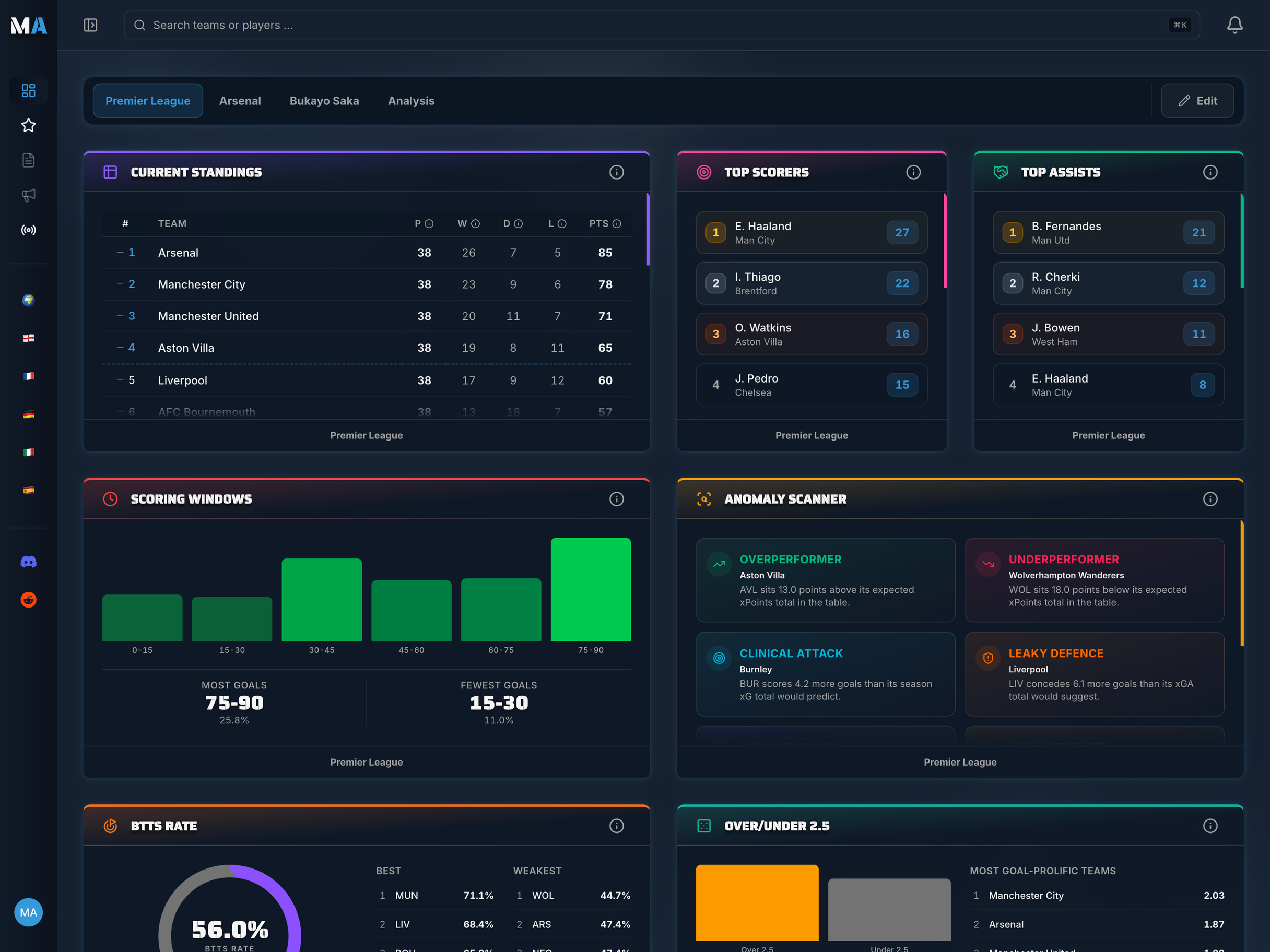
Turn raw data into real insights with MatchAnalyzr. Build your own personalised football dashboard with the leagues, teams and players you actually follow.